Hack Windows Password with the Help of Hiren’s Boot CD
Hiren’s BootCD is an ultimate solution to almost all your computer problems. It comes loaded with hell lot of tools.Each of them is powerful and can be really very helpful if used with caution. You can solve nearly all your PC problems like virus infection, hdd failure, data recovery, Hard disk partitioning, password recovery using this CD.
This CD consists of variety of tools like
- Antivirus Tools
- BIOS / CMOS Tools
- Browsers / File Managers
- FileSystems Tools
- Hard Disk Tools
- MBR (Master Boot Record) Tools
- MultiMedia Tools
- Ms Dos Tools
- Network Tools
- Optimizers
- Partition Tools
- Password Tools
- Process Tools
- RAM (Memory) Testing Tools
- Recovery Tools
- Registry Tools
- Remote Control Tools
- Security Tools
- Startup Tools
- System Information Tools
- Testing Tools
- Tweakers
Change Password with the Help of Hiren Boot CD
Download Hiren Boot CD
1. Enter “Offline NT/2000/XP/Vista/7 Password Changer”
With Up & Down keys select Offline ‘NT/2000/XP/Vista/7 Password Changer’ and press Enter.
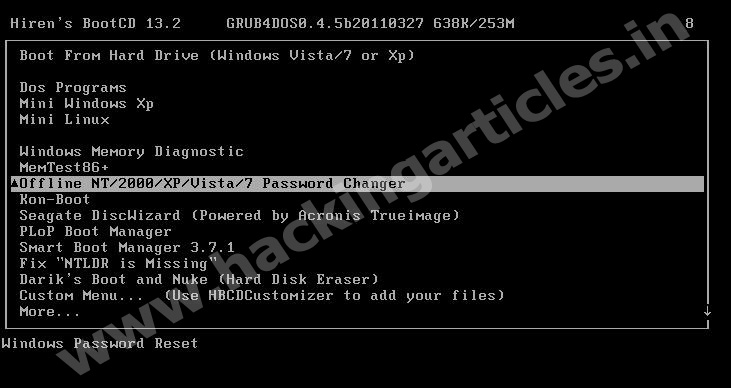
Press ENTER
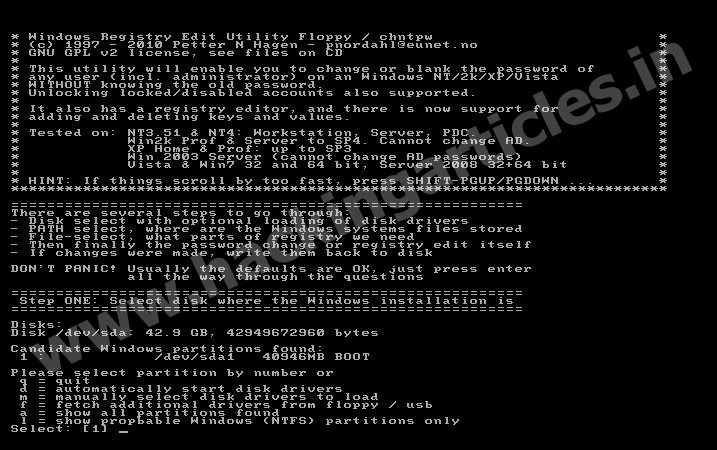
Press Enter Here
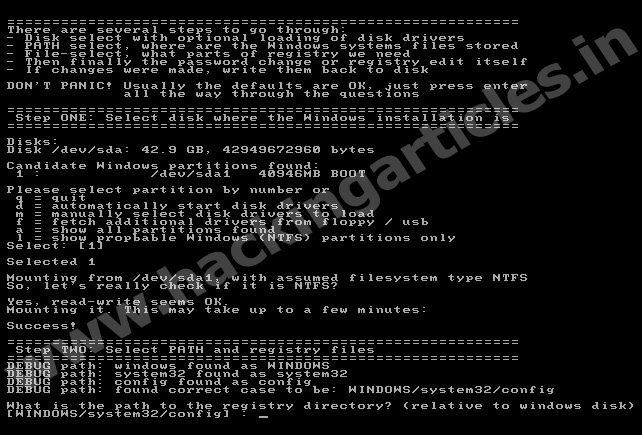
Press Enter

Press 1 for (Password Resetting) and then Press ENTER

Press 1 and then ENTER
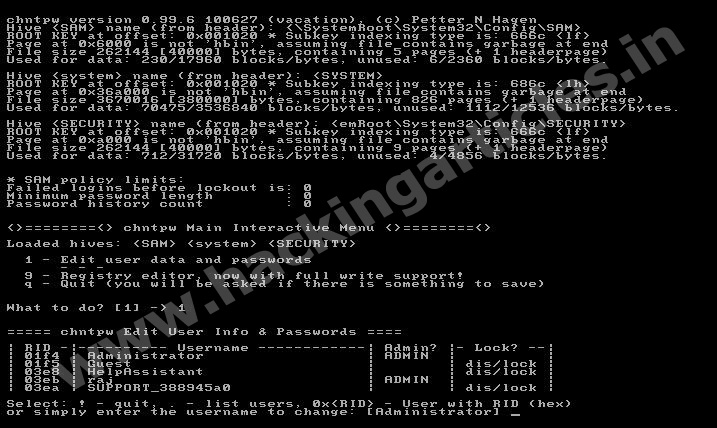
Write (user name to be changed for Password) and then ENTER
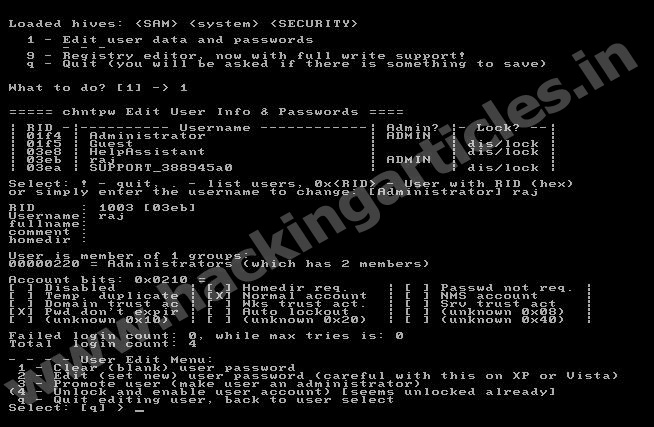
Press 1 (to clear Password) and then ENTER
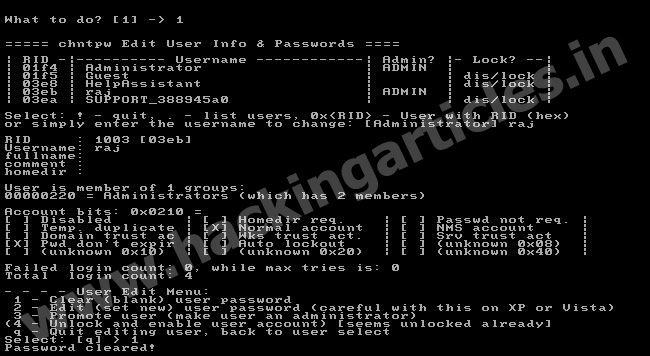
Press Q ( to quit)and then ENTER
Press (!),and then ENTER

Press (y) and then ENTER
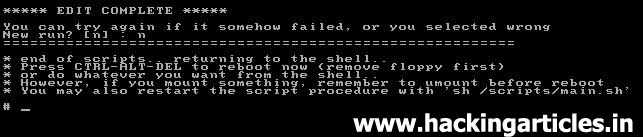
Press (n), and then ENTER
Press ctrl+alt+delete
Press ctrl+alt+delete
Remove Hiren’s BootCD and Restart the Computer
thanks for help me…
thanks for help me…
Thanks!!! Good work! 🙂
Good day very cool site!! Guy .. Beautiful .. Superb .. I’ll bookmark your blog and take the feeds additionally?
I am happy to search out so many helpful info right here in the post, we
want work out more strategies on this regard, thanks for
sharing. . . . . .